Beginner. 3 hours, 12 lessons.
AI for Productivity
Practical Generative AI for everyday work. Learn to get reliable, professional output from AI assistants, in about three hours.
Watch the intro, free
No sign up and no email required. A short introduction to the idea the whole course is built on.
AI for Productivity, free intro
What the intro shows
The two minute overview of Lesson 1: what generative AI actually is, how it differs from a search engine, and why an assistant can work with your own documents in a way search never could. Every lesson opens with an overview like this one, followed by the full screen-recorded walkthrough.
What you will be able to do
- Write structured prompts that produce usable output on the first attempt
- Draft, rewrite, shorten and re-tone professional email and communication
- Turn long documents into summaries, reports, presentations and checklists
- Use AI as a tutor, a question generator and a study planner
- Plan projects, break down tasks and structure decisions with AI support
- Ask useful questions of a dataset and get Excel formulas that work
- Recognise a hallucination and verify anything that carries consequences
- Apply a repeatable safety check before any AI-assisted work leaves your hands
Who this course is for
If you write, plan, explain, teach or report for a living, this course is for you. It assumes no technical background at all.
It is built for the specific problem most people have with AI: they have opened an assistant, typed something short, received something generic, and concluded that the tool is overrated. The tool is not the problem. The instruction is, and that is a learnable skill.
What makes this course different
It teaches method, not menus. AI tools change their interfaces every few months. A course built on screenshots would be wrong by the time you finished it. This one teaches a framework that works on any assistant, including ones that do not exist yet.
Every technique is demonstrated on real work. Reminder emails to parents, departmental circulars, report outlines, question papers, attendance data, Excel formulas. Indian workplace and college examples throughout, not translated American ones.
It is honest about the limits. A full module on hallucinations, privacy, bias and accountability, because the fastest way to be embarrassed by AI is to trust a confident answer. You will be shown exactly how a fabricated citation looks, and asked to find one yourself.
What you get
- 12 video lessons, 6 to 10 minutes each, about three hours in total
- A 60-page notes PDF, watermarked in your name, yours to keep
- A 20-exercise practical workbook with space to write and prompts to run
- A final test, graded the moment you submit it
- A verifiable certificate with a unique ID and a public verification page
- Lifetime access, including every future update to the course
Curriculum
Every lesson title, before you pay.
1 Introduction to Generative AI 2 lessons
- What Generative AI actually is Free 8 min
- Why a confident answer can be wrong 9 min
2 Understanding Prompts 2 lessons
- The RCTFO prompt framework 10 min
- Five prompt patterns, and iterating 9 min
3 Writing and Communication 2 lessons
- Email, tone and editing 10 min
- Summaries and meeting notes 9 min
4 Documents and Presentations 2 lessons
- Reports, summaries and SOPs 10 min
- From document to presentation 8 min
5 Learning, Teaching and Research 1 lesson
- Tutoring, question papers and citations 11 min
6 Planning and Productivity 1 lesson
- Planning, tasks and decisions 9 min
7 Data and Analysis 1 lesson
- Data questions and Excel formulas 10 min
8 Responsible Use 1 lesson
- Hallucinations, privacy and accountability 10 min
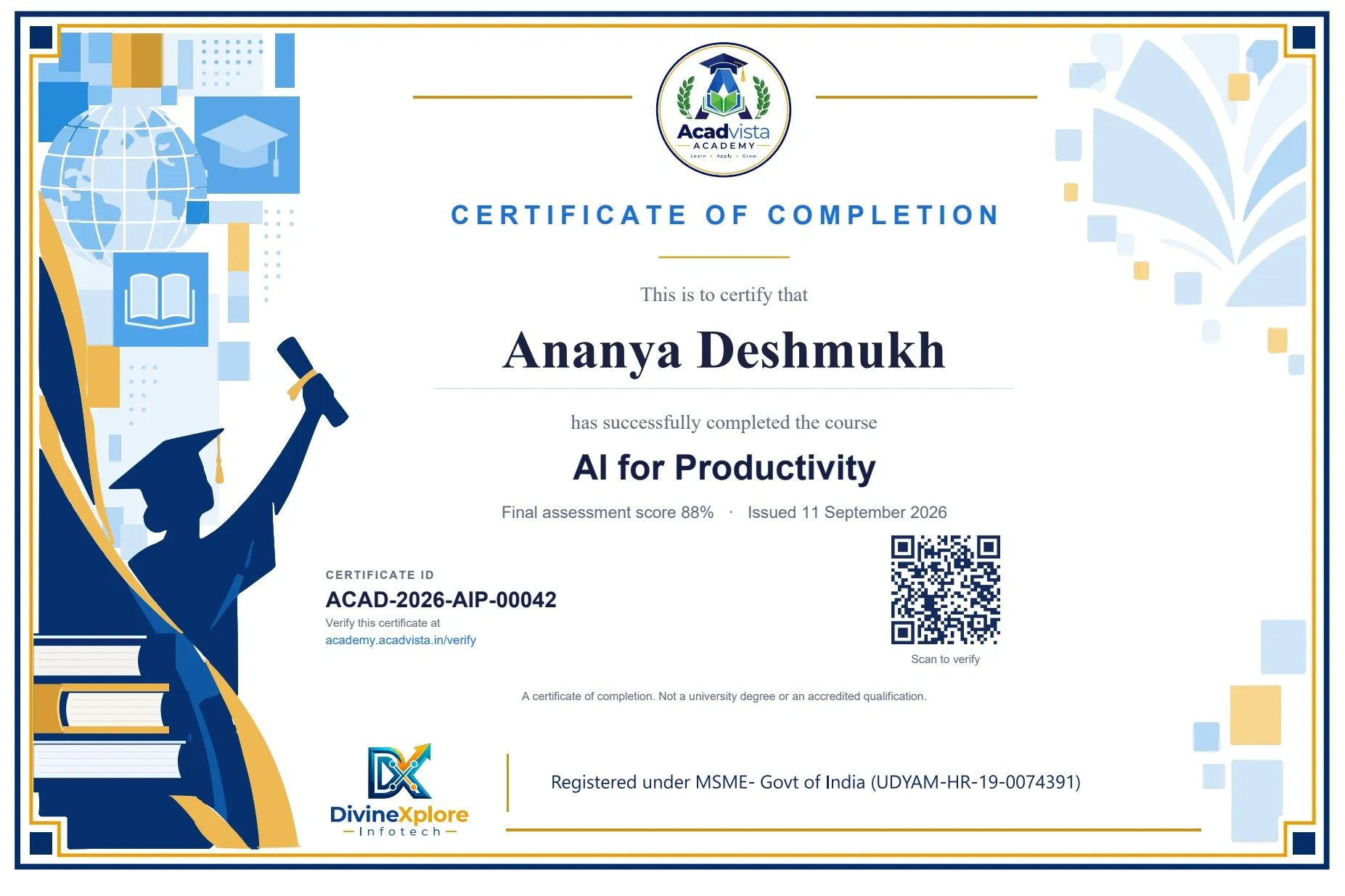
A certificate anyone can check
Pass the final test and your certificate is issued automatically, with a unique ID such
as ACAD-2026-AIP-00042
and a QR code. Anyone, including an employer, can verify it on this site without logging in.
Best value
Get these 3 courses for ₹399
- AI for Productivity
- AI in Excel
- Python in Pharmacy (BP 101T)
Every notes PDF, workbook, test and certificate in each of the three, with lifetime access. ₹98 less than buying them one by one.
₹399 ₹1,500
Get the packQuestions people ask before paying
Do I need any technical or programming background?
None. The course assumes you can use a web browser. Nothing in it requires code, and nothing asks you to install software.
Which AI tool do I need, and do I have to pay for it?
Any mainstream assistant on its free tier will carry you through the whole course. The course teaches a method that works across tools rather than one product's menus, because those change constantly.
How long does it take?
About three hours of video and reading, plus the workbook. Most learners finish over a week, doing one module a day. Access is lifetime, so there is no deadline.
What exactly do I get?
Twelve video lessons, a 60-page notes PDF watermarked in your name, a 20-exercise practical workbook, a final test, and a verifiable certificate on passing.
Is the certificate recognised?
It is a certificate of completion from Acadvista Academy, with a unique ID that anyone can verify on this site without logging in. It is genuine and verifiable. It is not a university degree or an accredited qualification, and we do not present it as one.
Can I get a refund?
The notes and videos are yours the moment you pay, so sales are final once access is given. That is why the intro video and every lesson title are free to see first, and you can ask us anything on WhatsApp before paying. If you are charged twice or cannot get access, we refund in full.
Can my college or organisation buy this for a group?
Yes. Write to us with the number of seats and we will send bulk pricing and a single invoice.
Still unsure? Ask us anything before you pay. We answer on WhatsApp, usually within the hour.
Ask on WhatsApp